


Manage your Minecraft server quickly and efficiently with PineRiver’s user-friendly tools. Whether you prefer the simple approach using the file manager in the game panel or the advanced flexibility of SFTP, we’ve got you covered. Follow this guide to learn how to easily access and manage your server files.
1. Manage Your Server with the File Manager
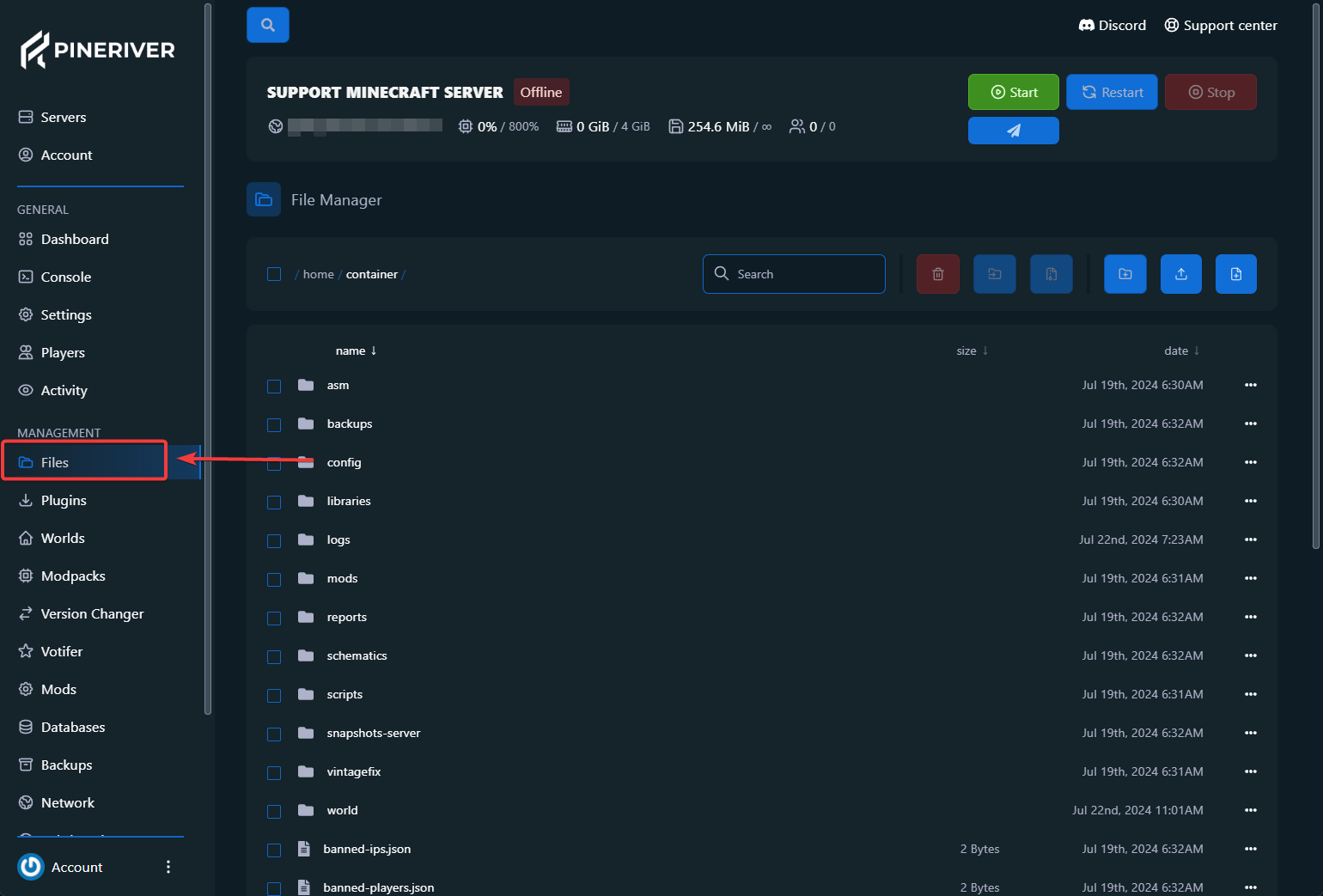
The file manager in the game panel is the easiest solution for making quick changes to your Minecraft server. Here you can create folders, edit the server’s configuration files, and upload files directly. Here’s how to use the file manager:
- Log in to the game panel.
- Go to your server’s dashboard.
- Select "Administration > File Management".
The file manager supports both the “Upload” button and drag-and-drop functionality, making it easy to transfer files. Simply drag a file from your computer into the window to upload it.
Tip: Looking for a high-performance game server? View our hosting plans here and get started quickly!
2. Upload Files Quickly with SFTP
SFTP (Secure File Transfer Protocol) is a secure and efficient way to transfer large files and folders. Follow these steps to connect to your Minecraft server via SFTP:
- Download and install an SFTP client such as FileZilla.
- Log in to the game panel and go to your server’s dashboard.
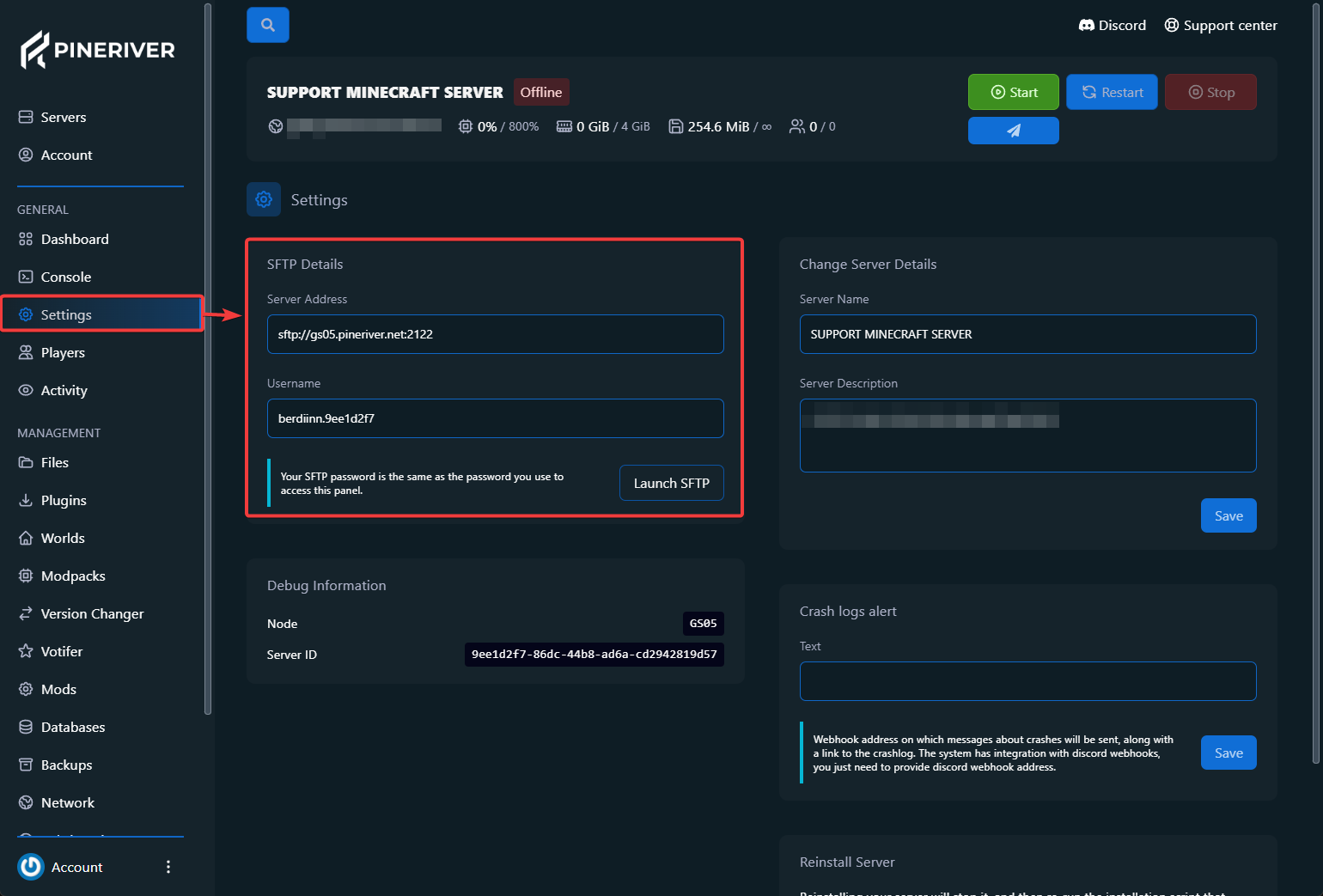
- Click "System > SFTP Details".
On the SFTP details page, you will find the information required to connect to the server. Follow these steps in your SFTP client:
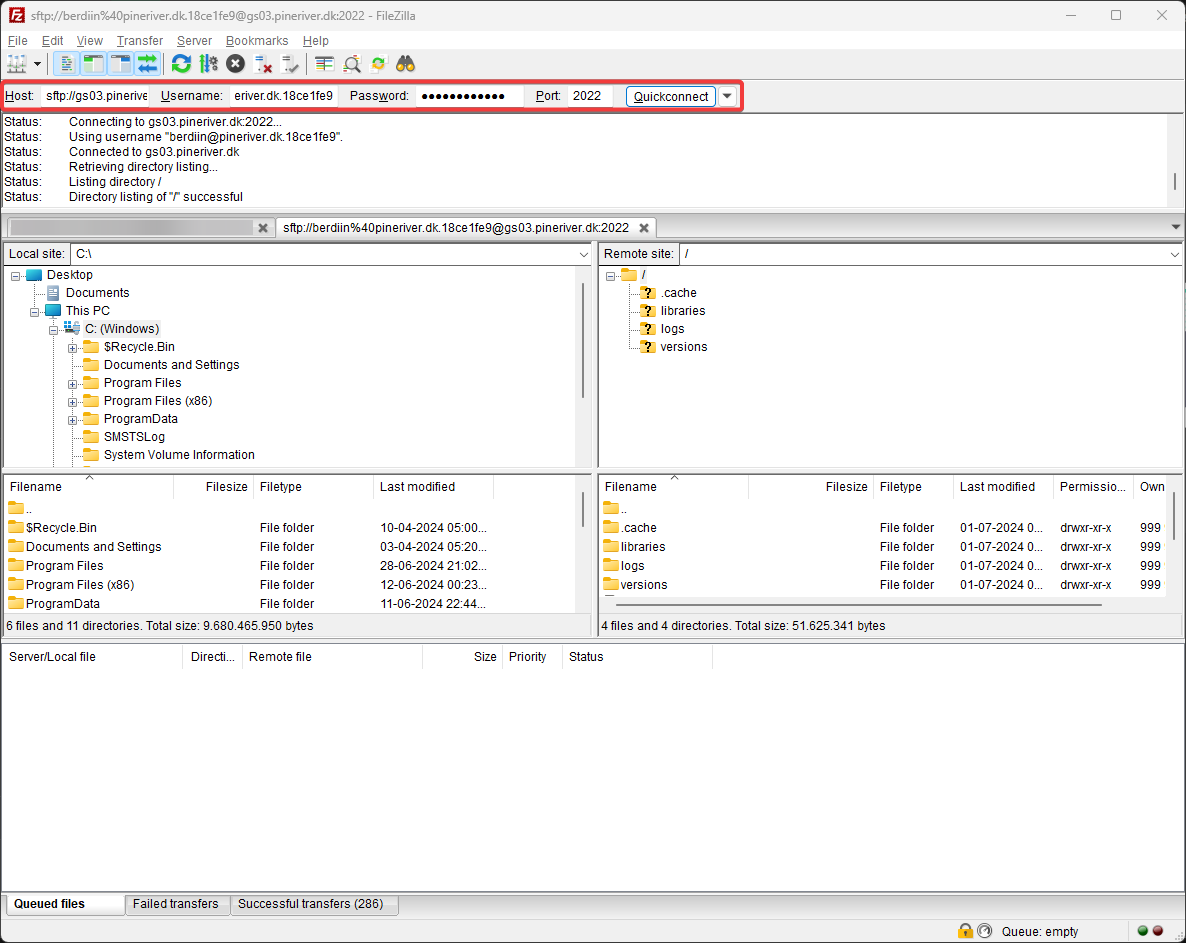
- Copy the “Connection Address” and paste it into the "Host" field.
- Enter the username and password from the SFTP details page.
- Click "Connect". If you are asked whether you trust the unknown certificate, click "Yes".
You will now see your local files on the left and the server files on the right in the SFTP client. To upload files or folders, simply drag them from the left side to the right side.
Tip: Consider using SFTP if you need to upload many files quickly. Need a powerful server? View our solutions here.
Advantages of File Manager and SFTP
- File Manager: Ideal for quick changes and small uploads directly via the browser.
- SFTP: Perfect for large file transfers and more complex changes with maximum security.
With these tools, you can easily manage your Minecraft server and ensure it is always optimized for your gaming experience. Whether you need quick edits or advanced file management, PineRiver is ready to help.
Optimize Your Minecraft Server Today!
With PineRiver, you get the best tools to manage your Minecraft server. Combine our user-friendly tools with powerful hosting plans for a seamless gaming experience.
CTA: Ready to take your server to the next level? View our Minecraft hosting plans here and experience powerful performance!